


Description
| Display a currency switcher widgets with default style. | |
| Display a currency switcher widgets with plain horizontal style. | |
| Display a currency switcher widgets with plain vertical style | |
| Display a currency switcher widgets with plain vertical style. | |
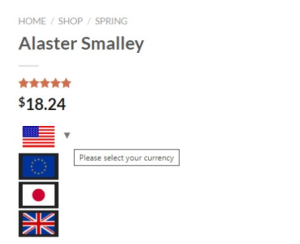
| Display a currency switcher widgets with flag horizontal style. | |
| Display a currency switcher widgets with flag vertical style. | |
| Display a currency switcher widgets with flag and currency code vertical style | |
|
Display a currency switcher widgets with currency symbol horizontal style. |
|
| Display a currency switcher widgets with currency symbol vertical style. | |
| Display a currency switcher widgets with circle block of currency symbol vertical style. | |
| Display a currency switcher widgets with curved hiding block of currency horizontal style. | |
| Display a currency switcher widgets with flag, currency name, currency symbol vertical style. | |
| Display a currency switcher widgets with flag, currency name, currency code vertical style. | |
 |
Display a product price price switcher. Note: This is applied for specific product pages built with Elementor or other page builders. |
|
This shortcode will display the exchange rate between parameter currency and your default currency on the front-end. You can change to other currencies by changing the currencies codes “currencies” parameter (eg: currencies=”GBP,EUR”) Use parameter layout=”1″ to display table of currency rate and parameter current_currency to set initial currency (eg: current_currency=”EUR”) |
|
|
To display product price in a particular currency. On a single product page, you no need additional parameter. Other than on a single product page, you need to add some parameter: product_id=”” currency=”” price=”” original_price=”” with details: Product ID: add the ID of the product you want to convert currency. Currency: Add the currency you want to convert the product price, leave blank and the price will be converted the currency that is currently applied to customers. Price: Product price. Original price: Add this value if the item is on sale. |
|
|
To display a currency converter to convert specific value among currencies. |
|
|
To display only currency currency. Use parameter current_currency to set fixed currency or leave empty/not input to set it as current currency. To display only currency currency. Use parameter format display information, value is text or currency information by replace shortcode {currency_flag}, {currency_name}, {currency_code}, {currency_symbol} (eg: format=”{currency_name} – {currency_flag}”) |
|
|
This shortcode display a product price collated with other currency. Shortcode parameter: “layout”: layout of shortcode (“inline” or “split”) “price_convert”: price number in default currency to display “price_range”: min price and max price in default currency to display (eg: 100|200) |





Reviews
There are no reviews yet.